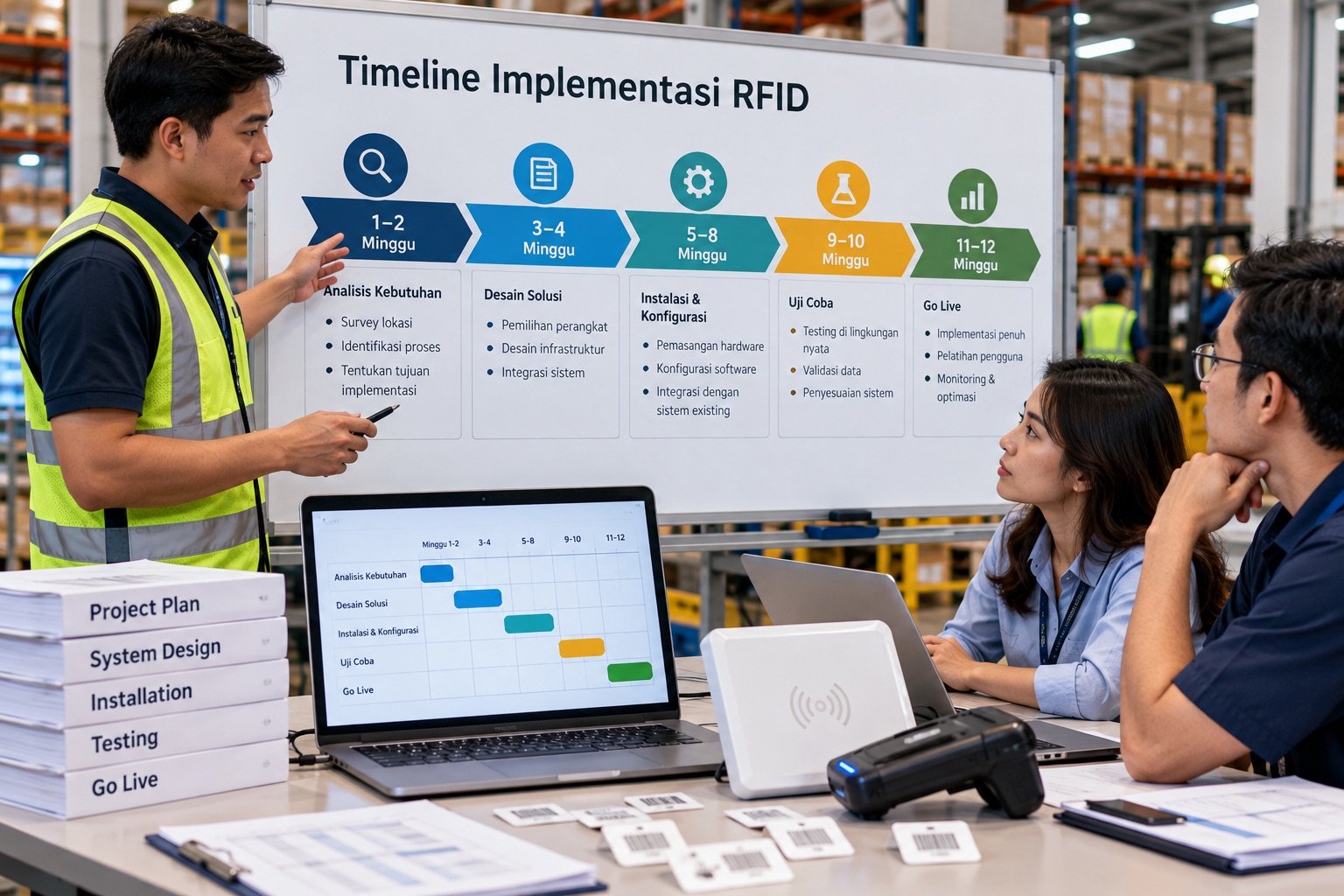
The Question Every Prospect Asks
Before signing any contract, almost every Katalyst prospect asks the same question: "How long until the system is actually running?"
Project duration varies. Site coverage, item count and type, network conditions, data readiness, equipment availability, and integration scope can all affect the schedule.
The phases and time ranges below are planning examples, not a delivery commitment. Set an estimate after technical assessment.
Why People Worry About Time
Common concerns we hear:
- "We can't shut down warehouse operations for the installation"
- "Our team has no technical background"
- "We're afraid it will take months and get stuck halfway"
These concerns are valid: poorly planned enterprise system rollouts can drag on. But with the right approach, and with hardware and software that already work together out of the box, RFID implementation is far faster than most people expect.
Example Implementation Phases
Phase 1: Assessment & Preparation (Week 1)
What happens:
- Onsite visit to your facility
- Mapping your workflows (inbound, outbound, stock audit)
- Identifying the zones and areas to cover
- Selecting the right RFID tag type for your products
- Configuring master data on the platform (categories, SKUs, zones)
Outputs:
- Hardware requirements list
- Reader placement layout
- Interim SOPs for floor staff
Example estimate: several business days, depending on assessment scope and equipment availability.
Phase 2: Hardware & Software Setup (Week 2)
What happens:
- Handheld scanner setup and app (APK) configuration
- Desktop USB reader setup (COM port, auto connect)
- Fixed reader installation at gates, if needed
- Encoding RFID tags for the first batch of products
- User account configuration (Owner, Admin, Staff)
- ERP integration (Odoo, etc.), if required
What you don't need to worry about:
- No server installation: Katalyst is cloud hosted SaaS
- The app is ready to use, with no technical configuration needed on your side
- Hardware is configured before shipping
Example estimate: about one week; additional integrations or configuration may extend this phase.
Phase 3: Training & Parallel Testing (Week 3)
What happens:
- Floor team training on the handheld app (8 modules)
- Manager training on creating audit tasks in the web dashboard
- A parallel run, with RFID running alongside your existing manual process
- Identifying any SOP gaps or adjustments needed
- Verifying scan accuracy against a manual count
Why a parallel run instead of going live immediately? We always recommend 1 week of parallel running so the team builds confidence before fully depending on the new system. It also reveals any coverage blind spots.
Example estimate: about one week; duration depends on attendee count and testing results.
Phase 4: Go-Live & Stabilization (Weeks 4 to 5)
What happens:
- Full switch to the RFID system
- Active monitoring by the Katalyst team during the first week
- Minor adjustments based on field feedback
- Finalizing the written user manual and SOPs
- System handover
Note: ERP integration can add implementation time. Estimate it after checking system versions, APIs, and required data flows.
Example Scenario: A Timber Processing Plant
Consider a timber processing plant rolling out:
- A handheld scanner for production floor operations
- A desktop USB reader for office operations
- A fixed reader at the production area entrance (automated outbound)
- A configured workflow for timber pallet tracking
Example rollout timeline:
| Period | Activity |
|---|---|
| Week 1 | Factory assessment, storage zone mapping, master data configuration |
| Week 2 | Handheld app setup, reusable tag encoding, fixed reader installation |
| Week 3 | Training for the factory team and internal auditors, parallel testing |
| Weeks 4 to 5 | Go-live, monitoring, SOP adjustments, user manual handover |
Audit and outbound automation results should be tested in a pilot; both depend on the workflow, reader coverage, and site conditions.
Factors That Speed Up or Slow Down Implementation
What Speeds Up Implementation:
- Clean master data: SKU and category lists already exist in Excel or a previous system
- Responsive team: Fast coordination for the site visit and training
- No ERP integration: A standalone implementation is faster
- Simple warehouse layout: A single zone with no complex configuration
What Slows Down Implementation:
- ERP integration (Odoo/SAP): Add 1 to 3 weeks for sync stabilization
- Very large SKU count (more than 5,000 SKUs): Encoding the first batch of tags takes longer
- Multiple fixed reader gates: Each gate needs its own configuration and testing
- Messy master data: If product lists are inconsistent, they need cleaning up before tag encoding
- High staff turnover: Rare, but retraining new staff extends the timeline
Do Operations Need to Stop?
No. This is the biggest concern, and it almost never materializes.
Katalyst implementations are designed to avoid disrupting your operations:
- Setup work is done outside operating hours when needed
- Parallel running keeps existing processes going while the new system is configured
- Fixed readers are installed at gates, not in the middle of work areas, so material flow is not disrupted
- The handheld app doesn't require new Wi-Fi infrastructure; it works on your existing network
During the parallel phase, staff continue their manual processes while RFID runs alongside. Once RFID accuracy is confirmed, the manual process is retired.
Timeline Summary
These ranges are planning examples, not a guaranteed schedule. Site requirements can change the duration of each phase.
| Phase | Duration | Runs in Parallel? |
|---|---|---|
| Assessment & Preparation | 3 to 5 days | Yes, no operational disruption |
| Hardware & Software Setup | 5 to 7 days | Yes, partly outside working hours |
| Training & Parallel Testing | 5 to 7 days | Yes, existing process continues |
| Go-Live & Stabilization | 7 to 14 days | Gradual transition |
| Total | 3 to 5 weeks | |
| Full stabilization (optional) | +2 to 4 weeks | For complex operations or ERP integration |
Conclusion
RFID implementation can be phased to keep warehouse processes running. Technical support needs and potential disruption should be assessed at each site.
Agree on a go-live schedule after assessment, then run a parallel pilot before switching validated processes over.
If you're still evaluating, start with a free demo with the Katalyst team. We'll give you a timeline estimate based on your operational scale.